

Gumloop Review: The AI Automation Tool That Finally Makes Sense (No Coding Required)
AI automation was supposed to make life easier. For most people, it just made things confusing. Until now.
The Problem Nobody Talks About
Here's the scene: A small business owner scrolling through LinkedIn at 11 PM, watching yet another tech influencer demo their "fully automated" lead generation system. It looks incredible. Leads flow in automatically, emails write themselves, data organizes itself into beautiful spreadsheets.
Then reality hits.
That demo requires connecting five different tools, writing custom code, and understanding what an "API webhook" is. Might as well ask someone to rewire their house while they're at it.
This is the dirty secret of automation in 2025. The promise is everywhere—"AI will do your work for you!"—but the actual implementation? Reserved for developers or people with endless patience for YouTube tutorials.
It's like being handed the keys to a Tesla but realizing nobody taught you how to drive.
Enter Gumloop.
What Exactly Is Gumloop?
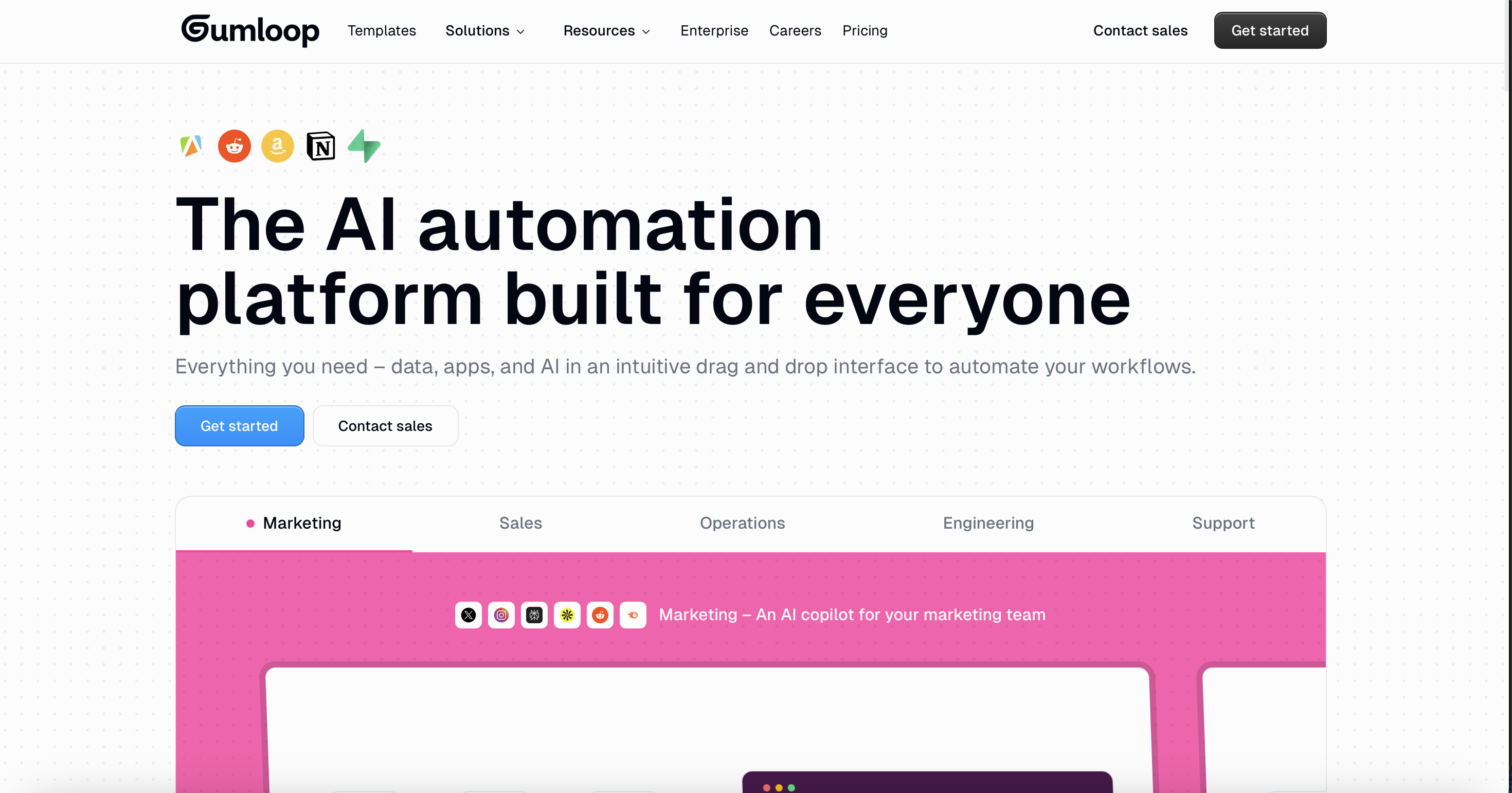
Think of Gumloop as what happens when Zapier and ChatGPT have a baby. It's a no-code AI automation platform that lets anyone—yes, even people who think "Python" is just a snake—build powerful automated workflows.
Founded in 2023, Gumloop has quietly become the tool of choice for some serious players. Instacart, Webflow, Shopify—they're all using it. The CEO of Instacart actually said Gumloop helped teams "without technical skills" adopt AI and automate workflows.
The key difference from traditional automation tools? AI isn't bolted on as an afterthought. It's baked into the core. Every workflow can tap into models like GPT-4 or Claude without needing separate subscriptions or wrestling with API keys.
How It Actually Works (The Simple Version)
Forget everything complicated about automation. Gumloop uses a visual canvas where things get dragged, dropped, and connected like building with digital LEGOs.
Here's the vocabulary, translated into human:
| Gumloop Term | What It Really Means |
|---|---|
| Flows | Recipes. A complete automated process from start to finish. |
| Nodes | Ingredients. Individual actions like "scrape this website" or "send this email." |
| Subflows | Meal prep shortcuts. Pre-built mini-recipes that plug into bigger recipes. |
| Triggers | The "when" something happens. New email arrives? Calendar event created? Go time. |
Picture making dinner. Instead of cooking every component from scratch every night, imagine having pre-prepped ingredients that just need assembly. That's what Gumloop does for business tasks.
Someone wants to turn a YouTube video into a blog post? Drag in a "video transcript" node, connect it to an "AI summarize" node, then link that to a "Google Docs" node. Three blocks. Done. The AI handles the heavy lifting.
What Can Actually Be Done With This Thing?
This is where it gets interesting. Gumloop isn't just theoretical automation porn. Real businesses use it for real problems.
Marketing Teams
- Social listening: Monitor mentions across platforms and get AI-generated sentiment reports
- Content repurposing: Turn one podcast into ten pieces of content automatically
- SEO research: Scrape competitor sites, analyze keywords, generate content briefs
Sales Teams
- Lead enrichment: Pull company info from LinkedIn, research accounts, score leads—all on autopilot
- CRM automation: New lead comes in, Gumloop researches them, updates Salesforce, drafts a personalized email
- Outreach personalization: Generic templates become impossible when AI customizes every message
Operations
- Document processing: PDFs, invoices, contracts—extract data, categorize, summarize
- Web scraping: Gather competitor pricing, job postings, industry data without coding
- Data sync: Keep tools like Airtable, Google Sheets, and CRMs perfectly aligned
Customer Support
- Ticket triage: AI reads incoming tickets, categorizes priority, routes to the right person
- Response drafting: Generate first-draft replies that agents can personalize
- Reporting: Auto-generate daily summaries for management
The Good Stuff
The interface is genuinely beautiful. This sounds superficial, but it matters. Most automation tools look like they were designed by engineers for engineers. Gumloop's canvas feels modern, clean, intuitive. The kind of software that doesn't make users feel stupid.
AI costs are included. Here's the sneaky thing about competitors: they require bringing separate ChatGPT or Claude subscriptions and figuring out API integration. Gumloop eats those costs. Premium AI models come built-in, no extra fees.
110+ integrations out of the box. Gmail, Slack, HubSpot, Salesforce, Google Sheets, Airtable, Notion—the usual suspects are all there. Plus some unexpected ones like Semrush and Ahrefs for the SEO crowd.
Templates actually help. Instead of staring at a blank canvas wondering where to start, there's a library of pre-built workflows. Lead generation. Content creation. Document processing. Pick one, customize it, done.
Enterprise-ready security. SOC 2 Type 2 certified. GDPR compliant. AES-256 encryption. For anyone who needs to explain to compliance why customer data is flowing through a new tool, the boxes are checked.
The Not-So-Good Stuff
There's a learning curve. Despite the friendly interface, Gumloop operates differently than traditional automation tools like Zapier. It's designed for batch operations and on-demand tasks rather than simple "if this, then that" triggers. That takes adjustment.
Credit-based pricing gets complicated. A simple AI call costs 2 credits. A complex GPT-4 call? Up to 60 credits. Web scraping burns credits. It's hard to predict monthly costs until actually using the platform for a while.
The entry-level paid plan might sting. Solo starts at $37/month. Not unreasonable for what's offered, but it's a bigger jump than Zapier's starter tier. Freelancers and solopreneurs doing light automation might find it steep.
Some niche integrations are missing. While the integration library is solid, specific industry tools might not be there yet. Always worth checking the integrations page before committing.
Pricing: Breaking It Down
| Plan | Cost | Credits | Who It's For |
|---|---|---|---|
| Free | $0/month | 2,000 | Testing the platform, building first flows |
| Solo | From $37/month | 10,000 | Individual users, freelancers, small projects |
| Team | From $244/month | 60,000 | Growing teams, agencies, cross-department workflows |
| Enterprise | Custom | Custom | Large organizations, compliance requirements, dedicated support |
How credits actually work:
- Simple AI call = 2 credits
- Advanced AI (GPT-4, Claude) = 20-60 credits
- Each node execution and flow run consumes credits
The free tier is genuinely useful for exploration. Building real automation that runs consistently? That requires at least Solo.
Annual billing saves 20% across all plans.
Privacy & Security (The Plain English Version)
Nobody wants to read legalese. Here's what actually matters:
✓ SOC 2 Type 2 & GDPR compliant – The security certifications enterprises require. Audited. Verified.
✓ Data never trains AI models – Whatever flows through Gumloop stays private. Not used to make the AI smarter for everyone else.
✓ AES-256 encryption – The same encryption banks use. Data is protected in transit and at rest.
✓ Daily backups – If something breaks, nothing is lost.
✓ Incognito Mode (Enterprise) – For super sensitive workflows, inputs and outputs aren't even stored on Gumloop's servers.
✓ Access controls – Team members can be given different permission levels. Not everyone needs to see everything.
For anyone processing customer data, financial information, or anything regulated—Gumloop took security seriously from day one.
The Bottom Line
Gumloop is for:
- Non-technical people who want AI automation without learning to code
- Marketing, sales, and operations teams drowning in repetitive tasks
- Small businesses ready to automate but intimidated by traditional tools
- Growing companies needing scalable, secure workflows
Gumloop is probably not for:
- People who just need simple "if this, then that" automations (Zapier might be easier)
- Anyone uncomfortable with a bit of a learning curve
- Tight budgets under $37/month
The verdict? Gumloop represents what AI automation should have been all along: powerful enough to handle complex tasks, simple enough that normal humans can actually use it. The interface is beautiful, the AI integration is seamless, and the security is enterprise-grade.
Is it perfect? No. The credit system takes getting used to, and the entry price might deter casual users. But for anyone serious about automating business workflows without hiring a developer—this is currently one of the best options available.
The future where AI handles the busywork while humans focus on strategy? Gumloop makes that feel less like a LinkedIn fantasy and more like something that could happen on Monday morning.
Try it free: gumloop.com
No credit card required. 2,000 credits to explore.