
Glitter AI Review: The "IKEA Manual" Generator That Actually Works
Let’s start with a scene you’ve lived before.
You finally launch that new website flow (or internal portal, or CRM pipeline, or "we swear this will make life easier” tool). Everyone is excited for about 11 minutes… until the DMs begin:
- "Hey, how do I do the thing?”
- "Can we hop on a quick call?”
- "Sorry, I forgot again… quick call?”
- "Quick call?” (now in lowercase, like it’s harmless)
Suddenly, you’re running a one-person streaming service called Tutorials I Never Wanted To Star In.
This is the exact problem Glitter AI wants to eat for breakfast.
What is Glitter AI?
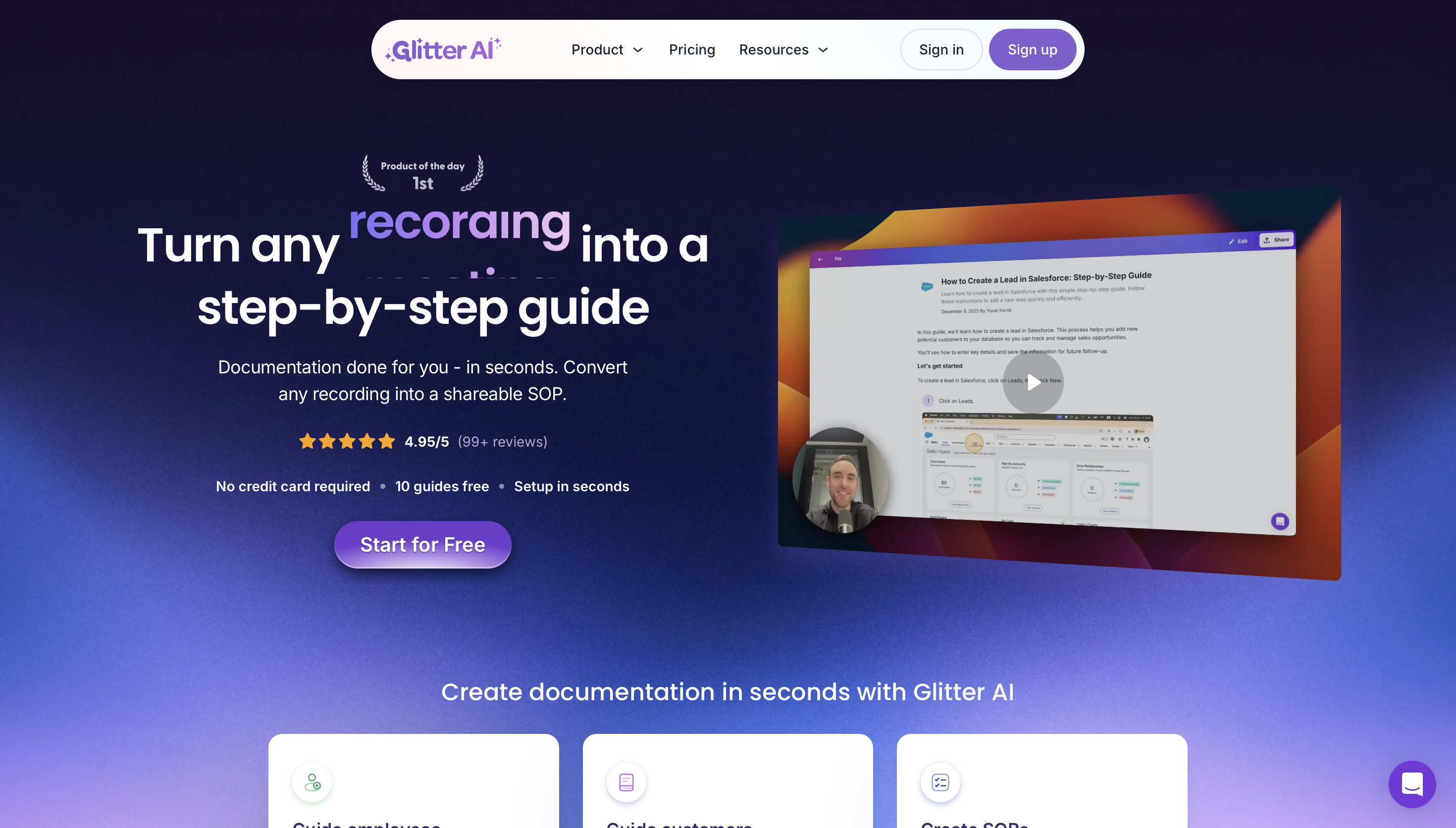
Glitter AI is a documentation tool that turns your process into a step-by-step guide automatically. You record your screen, talk through what you’re doing, and it spits out an SOP-style document with screenshots, text instructions, and a video—all linked together.
It’s not "another chatbot.” It’s a practical utility. Think of it like this:
- If Loom is "record a video,”
- Glitter is "record once, get a written playbook forever.”
It acts like a tiny robot following your cursor, writing down what you do so you never have to explain it again.
The "Aha" Moment: Voice Context
Most documentation tools (like Scribe or Tango) rely on clicks. You click a button, they take a screenshot. That works great for simple tasks.
But complex work involves context. You aren't just clicking "Settings"; you're clicking it because you need to change a specific permission.
Here is Glitter's magic trick:
- You Narrate: You talk while you work ("I'm clicking here to open the admin panel...").
- It Listens: Glitter uses AI to transcribe your voice and weave your explanation into the written steps.
- The Result: You get a guide that explains why, not just what.
Key Features That Actually Matter
1. Video-to-Guide Conversion (The Killer Feature)
Already have a Zoom recording of a training session? You don't need to re-record it. You can upload an existing video file to Glitter, and it will reverse-engineer a step-by-step written guide from it.
2. The "Free" Desktop App
Most competitors lock their desktop apps (for recording outside the browser) behind a paywall. Glitter includes its desktop recorder in the Free Plan. This is huge if you need to document Excel, Photoshop, or system settings, not just web apps.
3. Multi-Language Support
Glitter supports transcription and guide generation in 99+ languages. If you have a global team, you can record in Spanish, and the guide will reflect that.
4. Smart Redaction
For the security-conscious, Glitter offers features to blur sensitive data (like emails or API keys) directly in the editor before you share.
Glitter AI vs. The Competition
How does it stack up against the big names?
| Feature | Glitter AI | Scribe / Tango |
|---|---|---|
| Primary Input | Voice + Clicks | Clicks only |
| Best For | Complex flows requiring explanation | Simple, linear UI navigation |
| Output | Video + Written Guide | Written Guide |
| Desktop App | Included in Free Plan | Usually Paid / Tiered |
| Context | High (uses your voice) | Low (generic "Click here" text) |
The Takeaway: Use Scribe/Tango if you just need to show someone where a button is. Use Glitter if you need to teach someone how a process works.
Pricing: Clear & Business Friendly
Glitter’s pricing is straightforward compared to the "contact sales" maze of enterprise software.
- Free: $0/mo. 1 user, up to 10 guides. Includes Desktop App.
- Pro: ~$16/mo (billed annually). Unlimited guides, export to HTML/PDF/Markdown, remove branding.
- Team: ~$60/mo (billed annually). Includes 5 users.
- Enterprise: Starts at ~$8k/year for larger orgs needing SSO and audit logs.
Note: Prices are subject to change, but the free tier is generous enough to test the value immediately.
Security & Privacy (For the IT Crowd)
If you're pasting this into a procurement form, here are the keywords your CISO wants to see:
- SOC 2 Type II Compliant: They have the big certification.
- No Training on Data: Glitter explicitly states they do not use your customer data to train their AI models.
- Encryption: Data is encrypted in transit and at rest.
- Private by Default: Guides are not public until you choose to share them.
The Verdict
Who should use Glitter AI? If your business has repeatable workflows, more than three employees, and at least one person who keeps getting tapped on the shoulder for "quick questions," this tool is a no-brainer.
It’s not trying to be your entire knowledge base (like Notion). It’s trying to kill one specific monster: knowledge trapped in people’s heads.
And honestly? That monster is expensive. It eats time, creates mistakes, and slows down onboarding. Glitter lets you kill it for $16 a month.
Rating: 4.8/5 (-0.2 because you still have to speak clearly for the best results, but the editing tools are there if you mumble.)