
Bolt.new Review: The AI App Builder That Went From Near-Shutdown to $40M in 6 Months
Here's a number that keeps entrepreneurs awake at night: $50,000. That's the average cost of hiring a developer to build even a basic web application. Need a customer portal? A booking system? A simple SaaS dashboard? Expect to spend anywhere from $10,000 to $100,000+ depending on complexity — and wait weeks or months for delivery.
For non-technical founders, freelancers, and small business owners, this creates a brutal catch-22. The app idea is solid. The market is there. But the cost of building the thing is a wall that most people can't climb over. Traditional no-code tools like Bubble and Webflow helped, but they come with their own learning curves and lock businesses into proprietary platforms.
Now imagine opening a browser tab, typing "Build me a task management app with user login, dark mode, and a Kanban board" — and watching a fully functional application materialize in real time. Frontend. Backend. Database. All of it.
That's Bolt.new. And it's not a demo or a concept. It's a working product that hit $40 million in annual recurring revenue within six months of launch. MIT Technology Review named the broader "vibe coding" movement — building apps through conversation — one of its 10 Breakthrough Technologies for 2026.
The hype is real. But does Bolt actually deliver?
What Is Bolt.new?
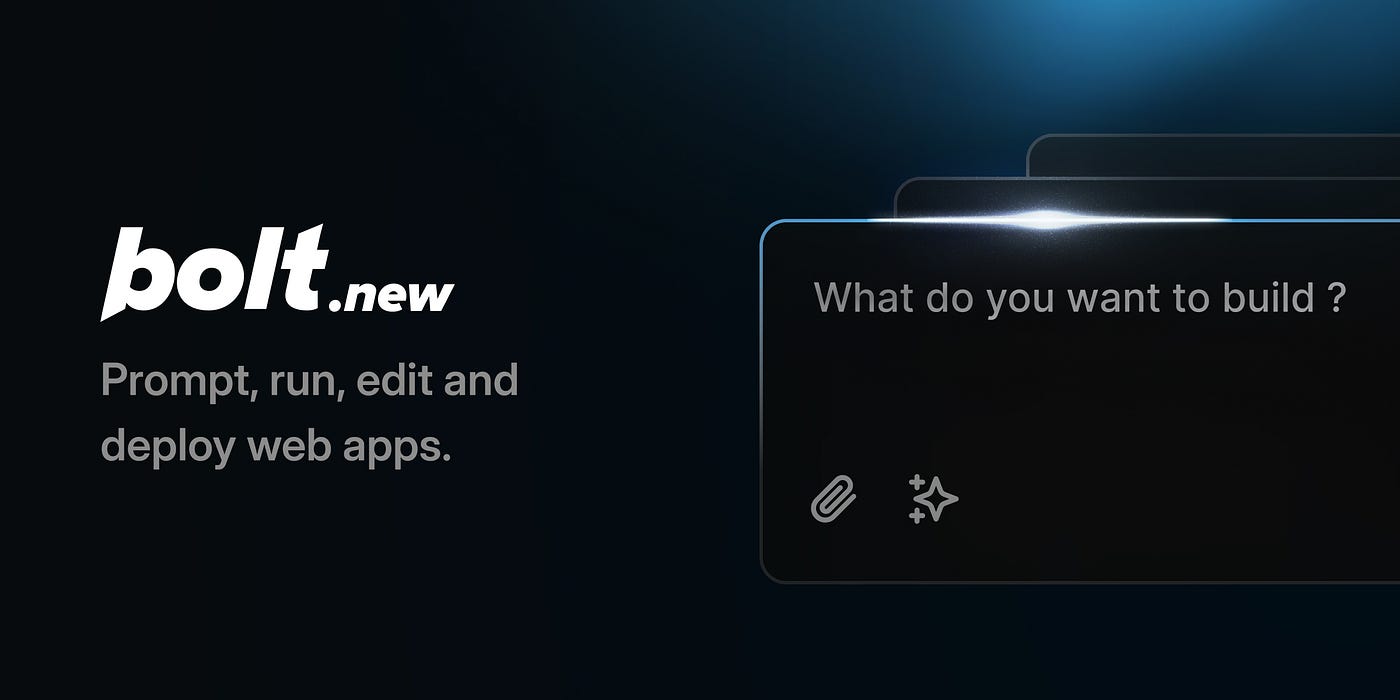
Bolt.new is an AI-powered, browser-based development platform that turns plain-language descriptions into complete, working web applications. No downloads. No setup. No configuration. Just open a browser tab, describe what needs to be built, and the AI writes the code — frontend, backend, database schema, and deployment — all in real time.
The best analogy: Bolt is like dictating a blueprint to an architect who also happens to be the construction crew. Describe the building, and it gets built while watching. Need a change? Say it out loud, and the walls move.
The technology running under the hood is called WebContainers, built by the team at StackBlitz over seven years. WebContainers allow full development environments — including Node.js — to run entirely inside the browser. This is the secret sauce that makes Bolt possible: there's no server to configure, no packages to install, no terminal to wrestle with. Everything happens in-browser.
By May 2025, Bolt's website was pulling over 9 million visits per month, with an average session time of 22 minutes — meaning people weren't just kicking the tires. They were actively building things.
How It Actually Works
The workflow is disarmingly simple:
Step 1: Describe the app. Open bolt.new and type a prompt. It can be as simple as "Build a recipe sharing app where users can create accounts, post recipes with photos, and bookmark favorites." Or it can be more specific: "Create a React dashboard with Tailwind CSS that pulls data from a REST API and displays it in recharts graphs."
Step 2: Watch the AI build. Bolt fires up its AI agent (powered by Claude or GPT-4, depending on the selected model), which generates the entire project structure — components, pages, routes, database connections, styling — in real time. A live preview appears alongside the code editor, updating as the AI writes.
Step 3: Iterate through conversation. Don't like the color scheme? Want to add a dark mode toggle? Need an authentication system? Just type it. Bolt reads the existing codebase, understands the context, and makes targeted changes without breaking what's already built.
Step 4: Deploy. One click deploys to Bolt Cloud with a free URL, or connect a custom domain. Projects can also be exported to GitHub or deployed on Netlify for full ownership.
The key insight: Bolt doesn't just generate code snippets. It creates complete, running applications with proper project structure, multiple files, routing, and database connections. That's the difference between an AI coding assistant and an AI app builder.
Three Modes That Actually Matter
Bolt offers three distinct interaction modes, and understanding them is the difference between burning through tokens in an hour and getting a full app built on a budget:
Build Mode: The default. Every prompt generates or modifies actual code. This is where the magic happens, but it's also the most token-hungry mode. Every interaction requires Bolt to read the entire project codebase, understand context, and write changes.
Plan Mode: Discusses the approach without changing any code. Think of this as whiteboarding with the AI before committing to anything. It uses significantly fewer tokens because no code syncing is required.
Discussion Mode: Pure conversation. No code changes, no file syncing, minimal token usage. Great for asking architectural questions or debugging concepts before diving into Build Mode.
The smart workflow? Start in Plan Mode to map out the architecture. Move to Build Mode for implementation. Drop into Discussion Mode when troubleshooting. This approach can cut token consumption by 40–60%.
What Bolt Does Well
The "zero to app" speed is genuinely shocking. Simple applications — landing pages, portfolios, basic CRUD apps — can go from idea to live deployment in under 30 minutes. For MVPs and prototypes, this alone is worth the price of admission.
No setup friction whatsoever. There's nothing to install. No development environment. No package managers. No configuration files. Open a browser tab and start building. For non-technical users, this removes the single biggest barrier to software creation.
Full code ownership. Unlike proprietary no-code platforms (looking at you, Bubble), Bolt generates real, exportable code. React, Next.js, Node.js — standard technologies that any developer can pick up and maintain. No vendor lock-in.
The live preview is addictive. Watching the app take shape in real time as the AI writes code creates a feedback loop that makes iteration fast and intuitive. It's like watching a time-lapse of a house being built.
Deployment is genuinely one-click. Bolt Cloud handles hosting, SSL, and URLs automatically. For simple projects, the path from prompt to live URL is shorter than ordering coffee.
Where Bolt Falls Short
Token consumption is unpredictable and often surprising. This is the most common complaint across every review platform. Tokens aren't just consumed by prompts — Bolt uses them every time it syncs the project's file system to the AI. Bigger projects = more tokens per message, regardless of how simple the request is. A small prompt on a large project can consume 500K–1M+ tokens in a single interaction.
Quality degrades as projects grow. Simple apps with 3–5 components? Excellent results. But once projects exceed 15–20 components, Bolt starts losing context. The AI may create duplicate components, lose pattern consistency, or overwrite existing functionality. Multiple reviews report success rates dropping below 31% for enterprise-grade features.
Debugging can create token death spirals. When Bolt introduces a bug (which it does), fixing it often requires multiple back-and-forth exchanges — each consuming more tokens. Users report that debugging sessions can easily double their initial token estimates, sometimes spiraling into $100+ costs for complex fixes.
JavaScript-only backend. Bolt generates Node.js backends exclusively. Python, Ruby, PHP, or Go developers looking for their preferred stack are out of luck.
The free plan is tight. One million tokens per month with a 300K daily cap sounds like a lot, but for medium-complexity projects, that's roughly 10–20 meaningful interactions. Heavy prototyping will hit the ceiling fast.
Pricing Breakdown
| Plan | Monthly Price | Tokens | Best For |
|---|---|---|---|
| Free | $0 | 1M/month (300K daily cap) | Testing, learning, tiny projects |
| Pro | $25/mo | 10M/month | Solo builders, MVPs, side projects |
| Pro 50 | $50/mo | 26M/month | Active developers, multiple projects |
| Pro 100 | $100/mo | 55M/month | Full-time Bolt users, complex apps |
| Pro 200 | $200/mo | 120M/month | Power users, agency workflows |
| Teams | $30/user/mo | 10M/user/month | Collaborative team development |
| Enterprise | Custom | Custom | SSO, audit logs, compliance, SLAs |
Tokens on paid plans now roll over for one additional month (as of July 2025). Annual billing saves 10%. Additional token reloads can be purchased separately and don't expire.
Real-world cost math: A medium-complexity app (multi-page with database, auth, and API integrations) typically consumes 5–10M tokens to build over a few weeks. That's Pro plan territory at $25/month. Complex applications requiring extensive debugging can easily push into Pro 50 or Pro 100 range.
Privacy and Security
Bolt's data handling is relatively straightforward for a cloud-based development tool. Projects can be public or private (even on the free tier). Code generated through Bolt is owned by the user — there's no intellectual property claim from StackBlitz. Enterprise plans add SSO, audit logs, and compliance support.
The standard caveats apply: code is processed through AI models (Claude/GPT-4), which means prompts and project context are sent to those providers. For projects involving sensitive data, review the AI model providers' data handling policies alongside Bolt's own terms.
Who Should Actually Use This?
Non-technical founders who need an MVP to validate a business idea will find Bolt genuinely transformative. What used to require $10,000–$50,000 and weeks of waiting can now be prototyped in an afternoon.
Freelancers and agencies can use Bolt to rapidly prototype client concepts before committing to full development. Showing a working demo instead of a wireframe is a game-changer for closing deals.
Developers looking to skip boilerplate setup and generate scaffolding quickly will appreciate Bolt as a starting point — with the understanding that production-grade code will need human refinement.
Students and learners get a remarkably powerful free tier to experiment with full-stack development concepts without any setup complexity.
Who should think twice: Teams building enterprise-grade applications with complex state management, authentication flows, or custom API orchestration. Bolt's context retention degrades significantly at scale, and the token costs can escalate unpredictably for large projects.
The Bottom Line
Bolt.new is one of the most impressive demonstrations of where AI-powered software development is heading. The ability to describe an app in plain language and watch it materialize in a browser tab — with real code, real databases, and one-click deployment — still feels like science fiction, even after using it extensively.
For simple-to-medium complexity projects, it's close to magical. MVPs, prototypes, internal tools, landing pages, portfolios — Bolt handles these with remarkable speed and surprisingly decent quality.
But the magic fades as complexity grows. Token costs become unpredictable. Context retention degrades. Debugging burns through monthly allocations. For anything approaching production-grade complexity, Bolt is best treated as a powerful starting point, not a finish line.
The AI app builder category is growing fast — Lovable, Replit, V0, and others are all competing for the same space. Bolt's advantage is its WebContainer technology, full-stack generation capabilities, and the speed of its zero-setup workflow. Its disadvantage is a token-based pricing model that makes costs hard to predict.
For non-technical builders with an idea and a budget of $25–50/month, Bolt.new might be the most powerful tool released in the last two years.
Rating: 8/10
Bolt.new offers a free tier with 1M tokens/month. Paid plans start at $25/month. Visit bolt.new to start building.